Skip to content
Logo aptlearnaptLearn
  • Category
    • App development
    • Cloud Computing
    • Cyber security
    • Data Analysis
    • Digital Marketing
    • Frontend Web Development
    • Machine Learning
    • Non-Technical Courses
    • Product Management
    • Project Management
  • Home
      • Beginner Starter Pack
      • Learn UI/UX Design
      • Learn App Development
      • Learn Web Development
      • Learn Cyber Security
      • All Courses
      • Teach on aptLearn
      • aptLearn Blog
      • United States dollar ($) - USD
        • Pound sterling (£) - GBP
        • United States dollar ($) - USD
        • Nigerian naira (₦) - NGN
        • Euro (€) - EUR
    • Courses
  • Account
    • Sign Up
    • Login
  • Code Playground
    • Code
    • Web Playground
  • Help & Support
    • Download aptLearn App
    • About aptLearn
    • Contact Us
    • Contact Sales
0

Currently Empty: $0.00

Continue shopping

Download App
Logo aptlearnaptLearn
  • Home
      • Beginner Starter Pack
      • Learn UI/UX Design
      • Learn App Development
      • Learn Web Development
      • Learn Cyber Security
      • All Courses
      • Teach on aptLearn
      • aptLearn Blog
      • United States dollar ($) - USD
        • Pound sterling (£) - GBP
        • United States dollar ($) - USD
        • Nigerian naira (₦) - NGN
        • Euro (€) - EUR
    • Courses
  • Account
    • Sign Up
    • Login
  • Code Playground
    • Code
    • Web Playground
  • Help & Support
    • Download aptLearn App
    • About aptLearn
    • Contact Us
    • Contact Sales
  • Home
  • Course
  • Complete UI/UX Design Course for Beginners

Complete UI/UX Design Course for Beginners

  • By David Okpara
  • Non-Technical Courses
  • (23 Ratings)
Breadcrumb Abstract Shape
  • Course Info
  • Instructor
  • Reviews
  • More
    • Welcome to the UI/UX course! My name is Davio White, and I will be your instructor throughout this course. I am excited to have you as an online student and guide you through the exciting world of UI/UX design.

      In this course, you will learn about the principles and best practices of user interface (UI) and user experience (UX) design, and how to apply them to create engaging and user-friendly digital products.

      Whether you are a beginner or have some experience in UI/UX design, this course will equip you with the skills and knowledge needed to create beautiful, functional, and effective designs. I hope you enjoy the course, and I look forward to working with you!

      Required Resources 

      Apple Design Resources/System – iOS 17 and iPadOS 17
      Plugins for Icons – Google material
      Iconify
      Mockups – Artboard Studio Mockups
      Mockup

      Show More
      What Will You Learn?
      • Introduction to UI/UX design
      • User interface and experience design
      • Principles of UI Design
      • User Research
      • Conducting user research
      • Creating personas and user stories
      • Understanding user needs and behavior
      • UX Research
      • Analyzing Data from UX Research
      • Product life cycle
      • Design Thinking
      • Information Architecture and Interaction Design
      • Creating site maps and wireframes
      • Understanding user flow and navigation
      • Visual Design
      • Color theory and typography
      • Iconography and visual hierarchy
      • Introduction to figma
      • Figma workspace
      • Setting up grids
      • Setting up a style guide
      • Auto layout
      • Responsive design
      • Component
      • Variants
      • Advanced component
      • Interactive Component
      • How to create a design system
      • Creating an icon set in Figma
      • Create 3D illustrations in Figma
      • Usability Testing
      • Conducting usability tests
      • Prototyping and Design Tools
      • Accessibility and Inclusive Design
      • Case study
      • How to create a Case study for a UIUX project
      • Future Trends in UI/UX Design
      • Projects
      • Tips to help you scale up after learning and Many More

      Material Includes

      • Link to download Figma
      • Design Resources
      • Mockup studio
      • Angle
      • Clay Mockups 3D
      • Parallax effect - Easometric
      • Plugins
      • Projects
      • Quizzes
      • Download Link "About Course"

      Requirements

      • Mobile Data
      • Laptop with at least 4Gig ram
      • Intel corei3 or equivalent/above processor for computer

      Audience

      • Newbies
      • Entry designers
      • Junior designers
      • All levels
      • Tech enthusiast
      • All gender
      • Goal getters
      • You reading this.

      Course Content

      Introduction to UI/UX design
      UI/UX design is a critical aspect of modern digital product development. User Interface (UI) design focuses on the visual aspects of a product and how it presents information and allows users to interact with it. User Experience (UX) design is concerned with how a user interacts with the product, the emotions and perceptions they have, and the overall satisfaction they experience. Good UI/UX design is essential to creating products that are easy and intuitive to use, engaging, and effective in meeting the needs of users. UI/UX designers work closely with developers, product managers, and other stakeholders to ensure that the product meets user needs and business goals. The user-centered design process is at the core of UI/UX design. This process involves understanding the needs and behaviors of the target users, developing user personas and scenarios, creating wireframes and prototypes, conducting user testing and analysis, and iterating the design based on feedback. UI/UX designers must have a deep understanding of their users, the business goals of the product, and the technical constraints and opportunities of the platform they are designing for. They must also be proficient in design tools and techniques, as well as possess excellent communication and collaboration skills. The demand for skilled UI/UX designers continues to grow as more businesses recognize the importance of creating user-friendly and engaging digital products. If you are interested in pursuing a career in UI/UX design, you can expect to work on a wide range of projects, from websites and mobile apps to complex enterprise software systems.

      • What is User interface design?
        04:22
      • Types of user interface design
        07:33
      • What is User experience design?
        03:07
      • Types of user experience design
        04:07
      • Element of UX Design
        06:43
      • Importance of UIUX design
        03:58
      • Overview of UI/UX design principles
        04:48
      • Overview of visual design principles
        09:12
      • Best practices for creating visually appealing interfaces
        03:43
      • Understanding the User-Centered Design Process
        03:11
      • Role of UI/UX Design in Product Development

      User Research
      User research is a critical part of the user-centered design process. It involves gathering data and insights about the user to inform the design of digital products.

      • Types of User Research
        12:38
      • User vs End user
        02:26
      • What is the difference between a customer and an end user?
        01:42
      • How to Improve Your End User Experience
        02:35
      • Conducting User Research
        07:00
      • Creating Personas and User Stories
        09:57
      • Understanding User Needs and Behavior
        02:54

      UX Research
      User Experience (UX) research is a process of collecting data about the behavior, needs, and preferences of users to design products, services, or systems that meet their requirements. UX research is a critical part of the design thinking process and helps designers to create products that are intuitive, efficient, and enjoyable to use. UX research involves a variety of methods, including qualitative and quantitative research, such as: User interviews: A researcher conducts interviews with users to gather information about their needs, preferences, and behaviors. Surveys: Surveys are used to collect quantitative data on a larger scale, usually via online forms, to gain insights into user behavior, satisfaction, and demographics. Observations: Researchers observe how users interact with a product, service, or system in their natural environment, and document their behavior, challenges, and frustrations. A/B Testing: A/B testing involves testing two different versions of a product, service, or system with users to see which one performs better. Card sorting: Card sorting is a technique used to understand how users categorize information and how they navigate through complex systems. Usability testing: Usability testing is conducted to evaluate how well users can complete specific tasks using a product, service, or system. UX research provides valuable insights and data that can be used to inform design decisions and improve the user experience of a product, service, or system. The ultimate goal of UX research is to create products that are user-friendly, intuitive, and meet the needs and expectations of users.

      • Types of UX Research
      • Analyzing Data from UX Research
      • How do you conduct analysis when interviewing
      • Why should you analyze data?
      • Research Methodologies and Analysis
      • UX Design Laws

      Product life cycle
      The product life cycle is a marketing concept that describes the stages a product goes through from its introduction to the market until it is retired. The life cycle of a product typically consists of four stages: introduction, growth, maturity, and decline. During the introduction stage, a new product is launched into the market, and sales are typically low as consumers become aware of the product's existence. In the growth stage, sales begin to increase as the product gains acceptance and becomes more widely known. The maturity stage is characterized by a slowdown in sales growth as the market becomes saturated with competitors, and the product reaches its maximum market potential. Finally, in the decline stage, sales begin to decline as the product becomes obsolete, and it is eventually phased out of the market. Understanding the product life cycle can help businesses plan their marketing strategies and make decisions about when to introduce new products, modify existing ones, or retire products that are no longer profitable.

      • Understand Stages of Product Development Life Cycle
      • Design Thinking
      • The Four Principles of Design Thinking
      • The Five Phases of Design Thinking
      • What is the purpose of Design Thinking?

      Information Architecture and Interaction Design
      Information architecture (IA) and interaction design (IxD) are two important aspects of UI/UX design that help designers create digital products that are both easy to use and navigate. Here's an overview of IA and IxD: 1. Information Architecture: Information architecture is the process of organizing and structuring digital content in a way that makes it easy to find and navigate. IA involves designing the structure of the product, such as the site map, navigation, and labeling. IA involves the following steps: - Define the content: Define the content that will be included in the product and how it will be organized. - Create a site map: Create a site map that outlines the structure of the product and how content is organized. - Design navigation: Design navigation that allows users to easily find and access the content they need. - Label content: Label content in a clear and concise way that accurately describes its purpose. 2. Interaction Design: Interaction design is the process of designing how users interact with the digital product. This involves designing the user interface (UI), such as the buttons, menus, and forms, and the user experience (UX), such as the flow of the product and the user's journey. IxD involves the following steps: - Define user needs: Define the needs and goals of the user and how they will interact with the product. - Design UI elements: Design UI elements that are easy to use and understand, such as buttons, menus, and forms. - Create wireframes: Create wireframes that outline the layout of the product and how the UI elements will be placed. - Design interactions: Design interactions that are intuitive and make sense to the user, such as how a button will behave when clicked. By designing the IA and IxD of the product, designers can create digital products that are easy to navigate and use, and provide a seamless user experience. This can lead to higher user engagement and satisfaction, and ultimately, a successful digital product.

      • Creating Site Maps and Wireframes
      • Understanding User Flow and Navigation
      • Designing Interactions and Feedback

      Visual Design
      Visual design is an essential component of UI/UX design. It involves the use of typography, color, and imagery to create a visual language that communicates the product's purpose and brand identity. Here's an overview of how to design visual elements effectively: 1. Typography: Typography refers to the use of text in design. To design effective typography, follow these steps: - Choose appropriate fonts: Choose fonts that are easy to read and match the product's tone and brand identity. - Set font sizes and styles: Set font sizes and styles that are consistent throughout the product. - Use hierarchy: Use hierarchy to guide users' attention to the most important information. 2. Color: Color is a powerful tool for creating an emotional response and conveying information. To design effective color schemes, follow these steps: - Choose a color palette: Choose a color palette that matches the product's brand identity and tone. - Use color strategically: Use color to highlight important information, create contrast, or convey meaning. - Ensure accessibility: Ensure that the color scheme is accessible to all users, including those with visual impairments. 3. Imagery: Imagery can be used to add visual interest and convey information. To design effective imagery, follow these steps: - Choose appropriate imagery: Choose images that match the product's tone and brand identity. - Use images strategically: Use images to convey meaning or add visual interest. - Optimize images: Optimize images for fast loading times and high resolution. By designing effective visual elements, designers can create digital products that are engaging, visually appealing, and communicate the product's purpose and brand identity effectively.

      • Color Theory and Typography
      • Iconography and Visual Hierarchy
      • Designing for Various Platforms and Devices

      Introduction to figma
      Figma is a cloud-based design and prototyping tool that allows designers to create user interfaces, prototypes, and design systems. It was created in 2016 by Dylan Field and Evan Wallace and has since gained popularity due to its collaborative features and ease of use. Figma allows designers to create and share designs with others in real-time, making collaboration between team members seamless. It also features a robust library of design assets, such as icons, images, and fonts, that can be easily accessed and integrated into designs. In addition to its design capabilities, Figma also offers powerful prototyping tools, allowing designers to create interactive prototypes that can be tested and shared with stakeholders. One of the most significant advantages of Figma is that it is a web-based tool, meaning that it can be accessed from any device with an internet connection. This makes it easy for teams to collaborate from different locations, without the need for specialized software or hardware. For designers and teams looking to produce excellent, collaborative designs and prototypes, Figma is a flexible design tool that offers a variety of features and capabilities.

      • How to download figma
        07:04
      • Projects
        07:05
      • Files & Sharing
        07:47
      • The editor
        15:59
      • Commenting
        04:22
      • Frames
        09:22
      • Pages
        04:25
      • Layers and exporting
        12:01
      • Prototyping
        08:02
      • Shapes and colors
        12:58
      • Text and links
        15:14
      • Images and masking
        14:21
      • Boolean groups and alignment
        09:48
      • Effects
        11:43
      • Pen tool
        18:48
      • Practicing zooming in and out
        06:59
      • Setting up grids
        08:56
      • Setting up a style guide
        22:08
      • Auto Layout
        12:21
      • Responsive design
        19:15
      • Components
        14:07
      • Variants
        10:43
      • Advanced Components
        08:59
      • Interactive Components
        12:56
      • Prototyping and it’s use
        23:04
      • Design system and function
        28:11
      • What makes up a design system in UI design?
        05:51
      • How to create a design system
        08:28
      • Designing great buttons using Figma
        12:38
      • Iconography in UI design
        09:22
      • Creating an icon set in Figma
        21:13
      • Create 3D illustrations in Figma
        28:59
      • How to upload your designs and case study on behance
        15:00
      • Effective ways to Handoff projects to developers
        33:00
      • Variables
        14:13

      Usability Testing
      Usability testing is a critical part of the UI/UX design process. It involves testing a product with real users to identify usability issues and improve the user experience. Here's an overview of usability testing and how to conduct it effectively: 1. Types of Usability Testing: There are several types of usability testing, including: Remote testing: Testing conducted remotely using online tools or software. In-person testing: Testing conducted in person with users. Guerrilla testing: Testing conducted in public places with users. 2. Planning Usability Testing: To plan usability testing, follow these guidelines: Define the goals: Define the goals of the testing, such as identifying usability issues or measuring user satisfaction. Identify the target users: Identify the target users based on the product's target audience. Create test scenarios: Create scenarios that mimic real-world situations and tasks that users may encounter when using the product. Prepare the test materials: Prepare the test materials, such as the product prototype and test scripts. 3. Conducting Usability Testing: To conduct usability testing, follow these guidelines: Recruit participants: Recruit participants who match the target user profile. Conduct the testing: Conduct the testing, asking participants to complete the test scenarios while providing feedback. Observe and record: Observe and record the participants' behavior and feedback during the testing. Analyze the results: Analyze the results to identify usability issues and areas for improvement. 4. Iterating and Improving: Based on the results of usability testing, make necessary improvements to the product and conduct further testing to ensure the changes have resolved the usability issues. Usability testing is a critical part of the UI/UX design process. By conducting usability testing, designers can identify usability issues and improve the user experience, resulting in a more usable, accessible, and enjoyable product.

      • Conducting Usability Tests
      • Analyzing and Interpreting User Feedback
      • Iterating Designs Based on User Testing Results

      Prototyping and Design Tools
      Prototyping and design tools are essential for creating and testing UI/UX designs. Here are some common prototyping and design tools used by designers: 1. Sketch: Sketch is a vector graphics editor used for UI/UX design. It's a popular tool for creating wireframes, prototypes, and high-fidelity designs. 2. Figma: Figma is a web-based design tool that allows designers to collaborate in real-time. It's a popular tool for creating wireframes, prototypes, and high-fidelity designs. 3. Adobe XD: Adobe XD is a vector-based design tool used for UI/UX design. It's a popular tool for creating wireframes, prototypes, and high-fidelity designs. 4. InVision: InVision is a web-based prototyping tool that allows designers to create interactive prototypes. It's a popular tool for testing and validating designs with users. 5. Axure: Axure is a wireframing and prototyping tool that allows designers to create interactive prototypes. It's a popular tool for testing and validating designs with users. 6. Marvel: Marvel is a web-based prototyping tool that allows designers to create interactive prototypes. It's a popular tool for testing and validating designs with users. 7. Balsamiq: Balsamiq is a wireframing tool that allows designers to create low-fidelity designs quickly. It's a popular tool for creating rough drafts and early-stage prototypes. 8. Sketchboard: Sketchboard is a web-based collaborative design tool that allows designers to collaborate in real-time. It's a popular tool for creating wireframes and prototypes. Designers should choose prototyping and design tools that best fit their design needs and team collaboration requirements. By using these tools, designers can create and test designs efficiently, collaborate with team members, and iterate designs based on user feedback.

      • Creating Prototypes and Mockups
      • Using Design Tools such as Sketch, Figma, and Adobe XD
      • Collaborating with developers and stakeholders

      Accessibility and inclusive design
      Accessibility and inclusive design are important considerations for UI/UX designers to ensure that their designs are usable and accessible to as many users as possible, regardless of their abilities. Here are some key principles to consider when designing for accessibility and inclusive design: 1. Consider diverse user needs: Designers should consider the needs of a wide range of users, including those with disabilities, as well as those with different cultural backgrounds, ages, and skill levels. 2. Follow accessibility guidelines: Designers should follow accessibility guidelines such as the Web Content Accessibility Guidelines (WCAG) to ensure that their designs are accessible to users with disabilities. 3. Use clear and simple language: Clear and simple language can make your designs more accessible to users with cognitive or language disabilities. 4. Ensure color contrast: Designers should ensure that there is sufficient contrast between text and background colors to make it readable for users with low vision. 5. Provide alternatives: Designers should provide alternatives for non-text content, such as images and videos, to make them accessible to users who rely on assistive technologies like screen readers. 6. Use scalable design elements: Designers should use scalable design elements such as icons, buttons, and typography to ensure that they are accessible to users with low vision. 7. Test with users: Designers should test their designs with users with disabilities to ensure that they are usable and accessible. In conclusion, designing for accessibility and inclusive design is not only important to ensure that everyone can use and access digital products and services, but it is also an ethical responsibility. By following these principles, designers can create inclusive and accessible designs that are usable by a wide range of users.

      • Accessibility guidelines and principles
      • Designing for diverse user needs and abilities
      • Ensuring inclusive design practices are incorporated into the design process

      Case study
      A case study in UIUX design is a detailed description and analysis of a design project that a designer has completed. It typically provides an overview of the problem or challenge that the designer faced, the research and ideation process that they went through, the design solution they created, and the results and impact that the design had. UIUX case studies are used to showcase a designer's skills and thought process to potential employers or clients. They are also a useful tool for designers to reflect on their own work and identify areas for improvement. A good UIUX case study should be well-written, visually engaging, and provide clear and concise information about the design project. UIUX case studies typically include the following elements: Problem statement: A clear and concise statement of the problem or challenge that the designer was tasked with solving. Research and ideation: An overview of the research process, including user interviews, competitive analysis, and other methods used to gather insights. This section should also include information about the design concepts and iterations that were created. Design solution: A detailed description of the final design solution, including visual aids such as screenshots or mockups. This section should explain the design decisions made and how the final solution meets the needs of the user and addresses the problem statement. Results and impact: A discussion of the impact that the design had on the user and the business. This section should include evidence of the success of the design, such as increased user engagement, improved usability, or increased revenue. By following these guidelines, designers can create compelling and effective UIUX case studies that demonstrate their skills and expertise to potential employers or clients.

      • Importance of a case study in UIUX design
      • How to create a Case study for a UIUX project
      • Good case study for a fintech product

      Future Trends in UI/UX Design
      UI/UX design is a constantly evolving field, with new trends and technologies emerging regularly. Here are some of the future trends in UI/UX design that are likely to shape the industry in the coming years: 1. Voice User Interface (VUI): As voice technology continues to advance, VUI is expected to become more prevalent. Designers will need to focus on designing interfaces that are natural and intuitive for users to interact with through speech. 2. Augmented Reality (AR) and Virtual Reality (VR): AR and VR are expected to become more mainstream in the near future, creating new opportunities for UI/UX designers to create immersive and interactive experiences. 3. Artificial Intelligence (AI): AI is already being used to improve the user experience in various ways, such as chatbots and personalized recommendations. As AI technology advances, UI/UX designers will need to focus on creating interfaces that are able to learn from and adapt to user behavior. 4. Minimalism and simplicity: The trend towards minimalism and simplicity in UI/UX design is likely to continue, with designers focusing on creating clean and uncluttered interfaces that are easy for users to navigate. 5. Customization and personalization: As users demand more personalized experiences, UI/UX designers will need to focus on creating interfaces that are adaptable to individual preferences and needs. 6. Sustainability and ethical design: As environmental and ethical concerns become more pressing, designers will need to focus on creating interfaces that are environmentally sustainable and ethically responsible. 7. Design systems: Design systems are becoming more popular as a way to ensure consistency and efficiency in UI/UX design. Designers will need to focus on creating scalable and adaptable systems that can be used across different platforms and devices. By keeping up with these trends, UI/UX designers can stay ahead of the curve and create interfaces that are not only aesthetically pleasing, but also functional, user-friendly, and forward-thinking.

      • Emerging technologies and their impact on design
      • Keeping up with current design trends
      • Exploring the future of UI/UX design

      Job search tips and After learning Advice
      Here are some job search tips that can help you find the right job: 1. Identify your skills and strengths: Before starting your job search, it is essential to identify your skills and strengths. This will help you narrow down your job search to the roles that match your strengths. 2. Create a targeted resume: Your resume should be tailored to the specific job you are applying for. Highlight the skills and experiences that match the job description. 3. Network: Networking is one of the most effective ways to find a job. Connect with people in your industry and attend events to expand your network. 4. Use job search engines and career websites: There are many job search engines and career websites that can help you find job openings. Use these websites to search for jobs and create job alerts. 5. Follow up on job applications: After submitting a job application, it is important to follow up with the employer to show your interest and enthusiasm for the position. 6. Prepare for interviews: Research the company and practice common interview questions to prepare for job interviews. 7. Be open-minded: Be open to exploring new opportunities and industries that you may not have considered before. 8. Be persistent: Job searching can be challenging, but persistence is key. Keep applying and following up until you find the right job.

      • How to create an effective CV as a UI designer
      • How to find good internship opportunity
      • Possible UIUX interview questions and answers
      • Interview etiquette for uiux designers
      • Best way to grow as a UIUX designer
      • How to charge for UIUX projects
      • Portfolio idea for uiux designers
      • How to Posting your work as a uiux designer and platforms to use
      • How to Position yourself to land jobs or freelance gigs
      • List of gadgets and tools to get for your journey in UIUX design

      Design a website from scratch

      • Create style guide
        24:21
      • Design the website status bar (not necessary)
        22:10
      • Designing the hero section
        23:03
      • Continuation 1
        23:21
      • Continuation 2
        18:15
      • Continuation 3
        23:48
      • End of website design
        26:55

      Let’s Design an App

      • App Design Practical – Part 1
        16:00
      • App Design Practical – Part 2
        16:00
      • App Design Practical – Part 3
        11:00
      • App Design Practical – Part 4
        14:11

      Design Resources
      Find necessary resources in the lessons below to help you 10x design faster.

      • Icon Plugins
      • Perspective Plugins
      • Avatars Plugins
      • Presentation plugins
      • Color plugins
      • Typography plugins
      • Mockup plugins
      • Design system plugins
      • 3D design plugins
      • Illustration and image plugins
      • Design system template
      • UIUX Case study, CV, Invoice template
      • Mobile and web hero template
      • Spline website UI and 3D illustration redesign file
      • Winden redesign exploration (UI design) file
      • Light Year (Redrawn) illustration file

      Projects
      It is important to emphasize the importance of user research and testing throughout the design process. Ensure to conduct user interviews, create personas, and test your prototypes with real users to get feedback and make improvements. Projects are an excellent way to learn and give yourself some real-world experience. By following through with these projects, you'd greatly benefit from the experience. Tag me on twitter and use the hashtag: #daviowhiteuiuxcourse so I can see and retweet your designs. Recommended time frame to finish all the projects: 8 months. Goodluck.

      • Redesign an existing website
      • Complete a solid case study of a Fintech app
      • Design a mobile app
      • Create a chatbot
      • Design a dashboard
      • Prototype a game

      Examination and Certificate
      I am pleased to inform you that you have successfully completed the UIUX design course! Congratulations on this great achievement! Over the course of the program, you have gained valuable skills and knowledge in creating user-centered design solutions for digital interfaces. You have learned about user research, information architecture, visual design, and usability testing. You have also applied your learning to hands-on projects and assignments that have allowed you to develop your skills and create effective design solutions. Left you a message in next lesson.

      • Open this, Congratulations on this milestone.

      This course offers certificate of completion

      Add this certificate to your resume, and be the standout candidate recruiters cannot ignore
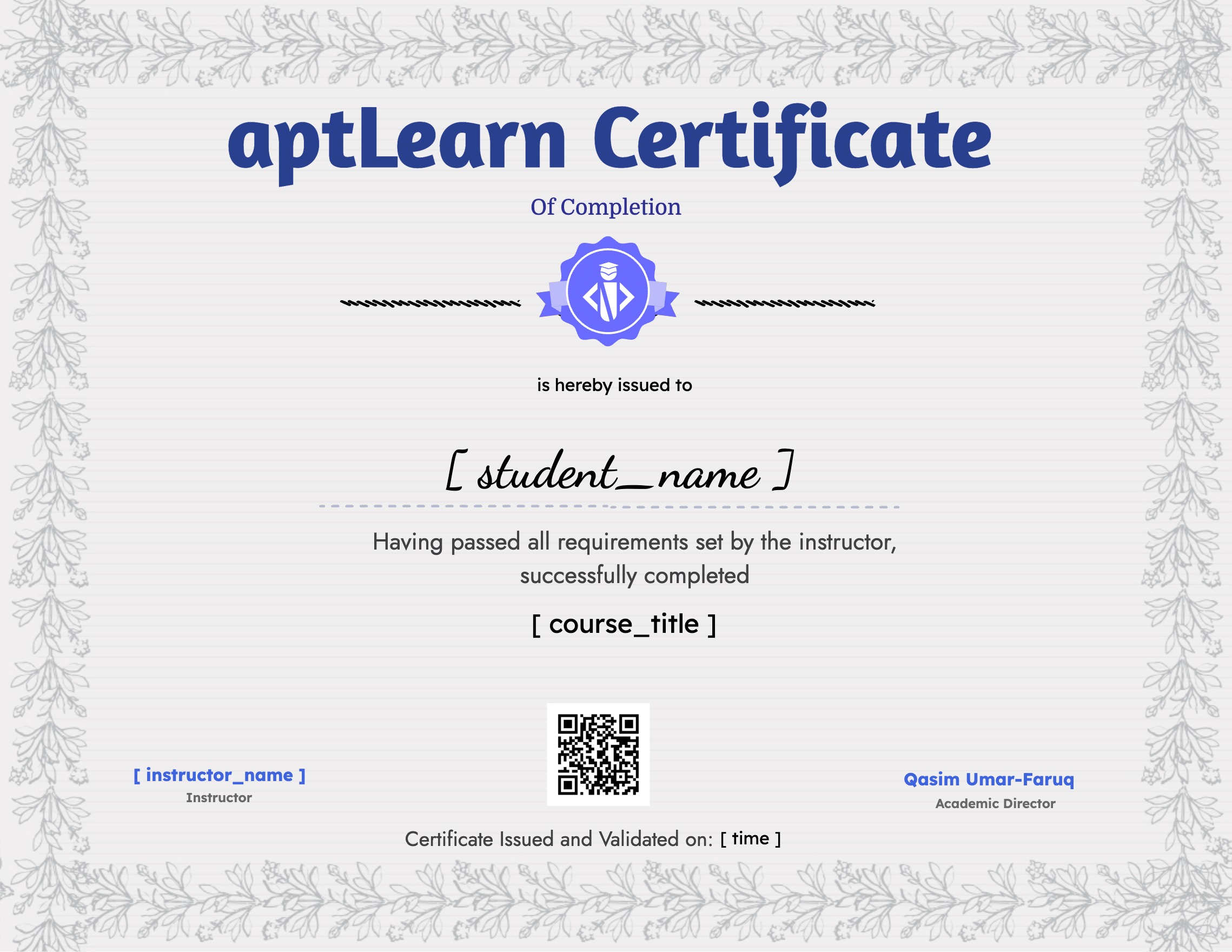
      selected template

      Tags

      • Design

      A course by

      David Okpara
      David Okpara
      Product Designer

      Student Ratings & Reviews

      4.2
      Total 23 Ratings
      5
      58 Ratings
      4
      15 Ratings
      3
      5 Ratings
      2
      1 Rating
      1
      5 Ratings
      SB
      sam bright
      3 years ago
      Very wonderful course & skill.
      DI
      Davidking Igwela
      3 years ago
      This course is amazing and has helped kick start my career in UI/UX. I recommend it to anyone looking for a guide or a starting point. Thanks Davio.
      FO
      Fidelis Omasan
      3 years ago
      The idea is nice but alot of things still needs to be in place. Like resources and other materials used in the module, also proper explanation on the notes.
      CC
      Chekwubechukwu Christian Nwabueze
      3 years ago
      All of a sudden, i lost all my progress so far. What could be the cause? Please kindly resolve.
      OJ
      Oluwalade Jesutofunmi
      3 years ago
      I think this a great course. Gently explains each content without making them seem like rocket science

      Thanks Davio, will keep learning and make you all proud
      TF
      Temiloluwa Fagbohoun
      3 years ago
      I loved every bit of the course, very detailed and we'll put together

      Load More

      Course Includes:

      • Price:
        $32.30 Original price was: $32.30.$9.50Current price is: $9.50.
      • Instructor:David Okpara
      • Duration: 500 hours
      • Lessons:129
      • Students:1577
      • Level:All Levels
      $9.50 $32.30
      Wishlist
      Hi, Welcome back!
      Forgot Password?
      Don't have an account?  Register Now
       Sign In with Twitter

      Share On:

      You May Also Like

      html_css_for_web_dev_final1
      12 hours
      All Levels
      HTML, CSS, and Javascript Course for Web Developers
      (5.0/ 1 Rating)
      $38.00 Original price was: $38.00.$12.54Current price is: $12.54.
      • 100 Lessons
      • 1306 Students
      All Levels
      HTML, CSS, and Javascript Course for Web Developers
      (5.0/ 1 Rating)
      $38.00 Original price was: $38.00.$12.54Current price is: $12.54.

      Have you been on the hunt looking to add to your existing skills? Congratulations, your search ends here! This is a golden opportunity that will...

      • 100 Lessons
      • 1306 Students
      Enroll Now
      Top Twenty Water Monster Movies For Kids - 1200 x 600 px
      60 hours
      Beginner
      aptLearn Cyber Security Certification Course
      (0.0/ 0 Rating)
      $32.30 Original price was: $32.30.$5.70Current price is: $5.70.
      • 66 Lessons
      • 248 Students
      Beginner
      aptLearn Cyber Security Certification Course
      (0.0/ 0 Rating)
      $32.30 Original price was: $32.30.$5.70Current price is: $5.70.

      Welcome to our comprehensive Cyber Security course! This course is designed to provide a complete understanding of Cyber Security, from the basics to advanced concepts....

      • 66 Lessons
      • 248 Students
      Enroll Now
      Technical Writing
      12 hours
      Beginner
      Technical Writing Certification Course
      (0.0/ 0 Rating)
      $22.80 Original price was: $22.80.$11.40Current price is: $11.40.
      • 63 Lessons
      • 43 Students
      Beginner
      Technical Writing Certification Course
      (0.0/ 0 Rating)
      $22.80 Original price was: $22.80.$11.40Current price is: $11.40.

      In this course, you will master the fundamentals of technical writing, a beginner’s guide to prepare you for monetizing your writing skills in the tech...

      • 63 Lessons
      • 43 Students
      Enroll Now
      images (1)
      10 hours
      Beginner
      Digital Marketing 101: Complete Course
      (0.0/ 0 Rating)
      $38.00 Original price was: $38.00.$7.60Current price is: $7.60.
      • 35 Lessons
      • 29 Students
      Beginner
      Digital Marketing 101: Complete Course
      (0.0/ 0 Rating)
      $38.00 Original price was: $38.00.$7.60Current price is: $7.60.

      This Introductory guide to Digital Marketing is full of insights and strategy for business owners, marketing professionals, students, and anyone else looking to hone their...

      • 35 Lessons
      • 29 Students
      Enroll Now
      Product Management Certification Course
      15 hours
      Beginner
      Product Management Certification Course
      (0.0/ 0 Rating)
      $76.00 Original price was: $76.00.$11.40Current price is: $11.40.
      • 50 Lessons
      • 49 Students
      Beginner
      Product Management Certification Course
      (0.0/ 0 Rating)
      $76.00 Original price was: $76.00.$11.40Current price is: $11.40.

      Product management is a discipline responsible for product planning (articulating the market problem) and product marketing (generating awareness, differentiation, and demand). Companies have come to...

      • 50 Lessons
      • 49 Students
      Enroll Now
      Project Management Certification Course
      45 hours
      Intermediate
      Project Management Certification in Software Engineering
      (0.0/ 0 Rating)
      $38.00 Original price was: $38.00.$9.50Current price is: $9.50.
      • 148 Lessons
      • 30 Students
      Intermediate
      Project Management Certification in Software Engineering
      (0.0/ 0 Rating)
      $38.00 Original price was: $38.00.$9.50Current price is: $9.50.

      Welcome to the Project Management Course! Whether you're new to managing projects or looking to enhance your skills, this course is designed to equip you...

      • 148 Lessons
      • 30 Students
      Enroll Now
      Complete_cloud_engineering (1) (1)
      20 hours
      Intermediate
      Complete Cloud Engineering Course In Linux
      (0.0/ 0 Rating)
      $38.00 Original price was: $38.00.$9.50Current price is: $9.50.
      • 70 Lessons
      • 66 Students
      Intermediate
      Complete Cloud Engineering Course In Linux
      (0.0/ 0 Rating)
      $38.00 Original price was: $38.00.$9.50Current price is: $9.50.

      Unlock the full potential of Linux with our comprehensive course, "Complete Cloud Engineering Course In Linux": Server Management, Hosting, and Troubleshooting." This course is designed...

      • 70 Lessons
      • 66 Students
      Enroll Now
      aptLearn-horizontal-locukup-colored

      Learn on Demand skills in fraction of time and cost with the best online courses

      Get Started

      • Beginner Starter Pack
      • Learn UI/UX Design
      • Learn App Development
      • Learn Web Development
      • Learn Cyber Security
      Download on Google Play Download on the App Store

      About

      • Teach on aptLearn
      • Career Hiring!
      • Code And Create
      • aptLearn Terms of Service
      • Instructor Terms of Service
      • Privacy Policy

      Resources

      • Download aptLearn App
      • aptLearn CodePen
      • Technical Courses
      • Non-Technical Courses
      • About aptLearn
      • Contacts Us
      • United States dollar ($) - USD
        • Pound sterling (£) - GBP
        • United States dollar ($) - USD
        • Nigerian naira (₦) - NGN
        • Euro (€) - EUR
      Copyright 2026 aptLearn | Product of Ssu-Techology Limited. All Rights Reserved
      Logo aptlearnaptLearn
      Sign inSign up

      Sign in

      Don’t have an account? Sign up
      Lost your password?

      Sign up

      Already have an account? Sign in